Milki Minecraft
Milki Minecraft
Milki Minecraft
The launcher most people use is Modrinth and there are instructions for it below.
If you feel confident in minecraft modding or doing this on some flavour of SteamOS, I recommend Prism Launcher
Use the link in the top right of this page! We'll let you know when ever you need to come back here.
If this the first time you have set it up or you're starting fresh, then simply add a new mod pack from a file.
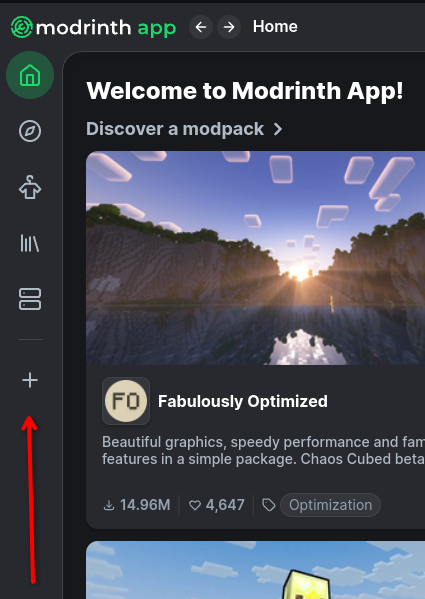
Create a new Instance
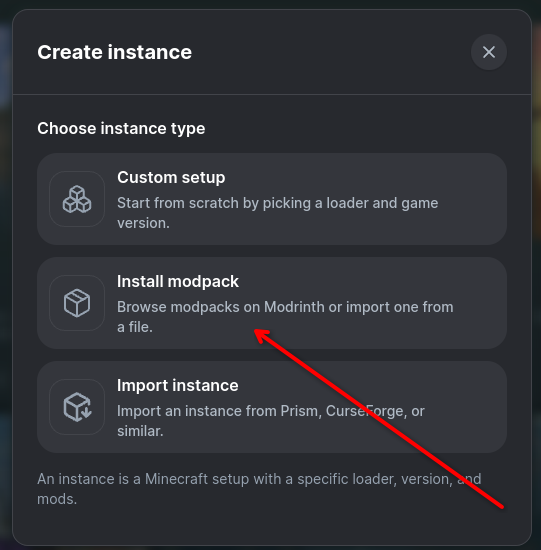
Select 'Install Modpack'
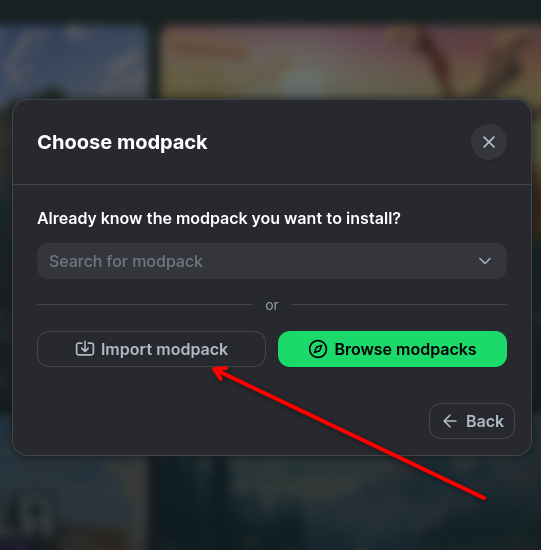
Select 'Import Modpack' and find the pack you downloaded
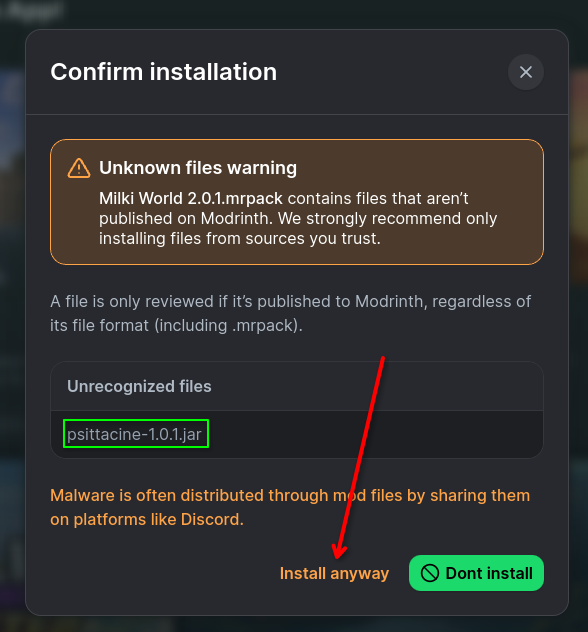
You may see this message, if the Unrecognized File is 'psittacine-1.0.1.jar' then you can Install anyway. If it's anything else ping @harriotskelli before continuing
Before you start up the mod pack you'll likely need to log into your Minecraft account, go ahead and do that.
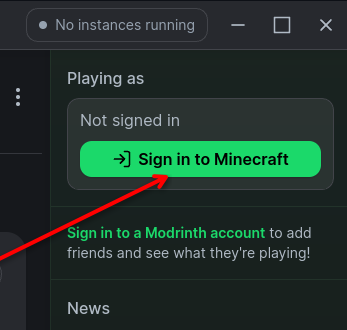
There are some other settings you'll want to change depending on your PC
First, you'll need to increase the memory allocation for it
Open up the modpack settings
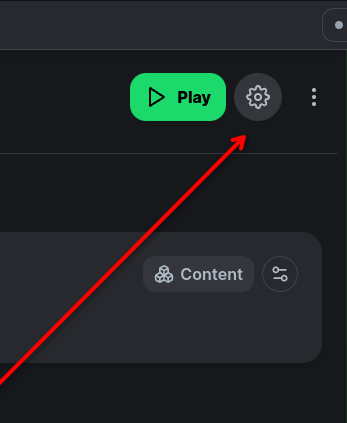
You'll want at least 6GB of memory, which will be 6144MiB. You shouldn't need more than 8GB (8192Mib)
If you have less memory available to you, or have a lower end machine you will also want to lower your graphics setting in Minecraft.
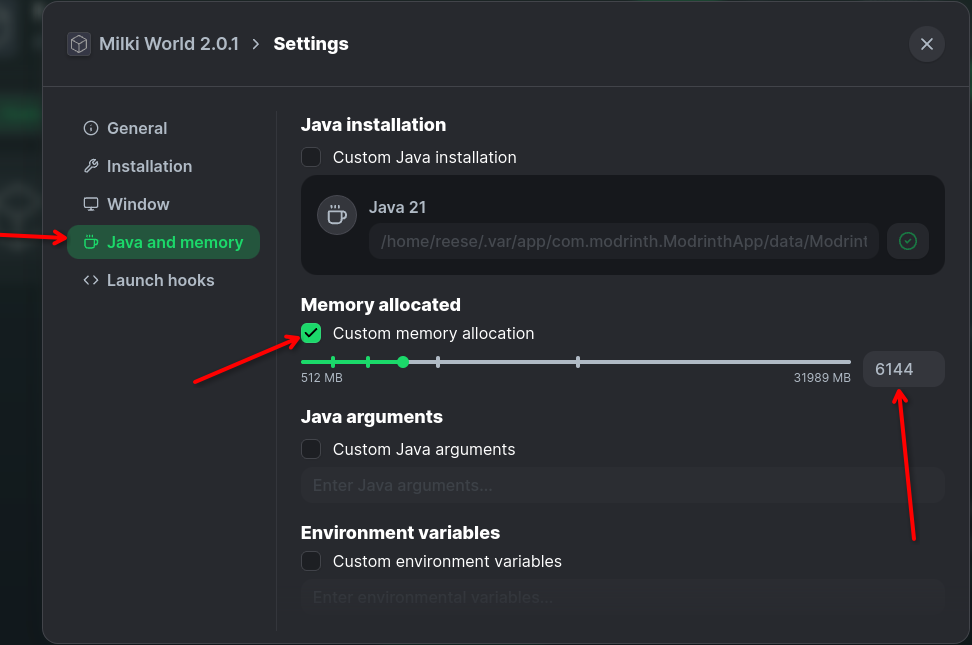
That should be all you need to do until you need to update or want to use a controller
We have controller support added to the pack but disabled by default
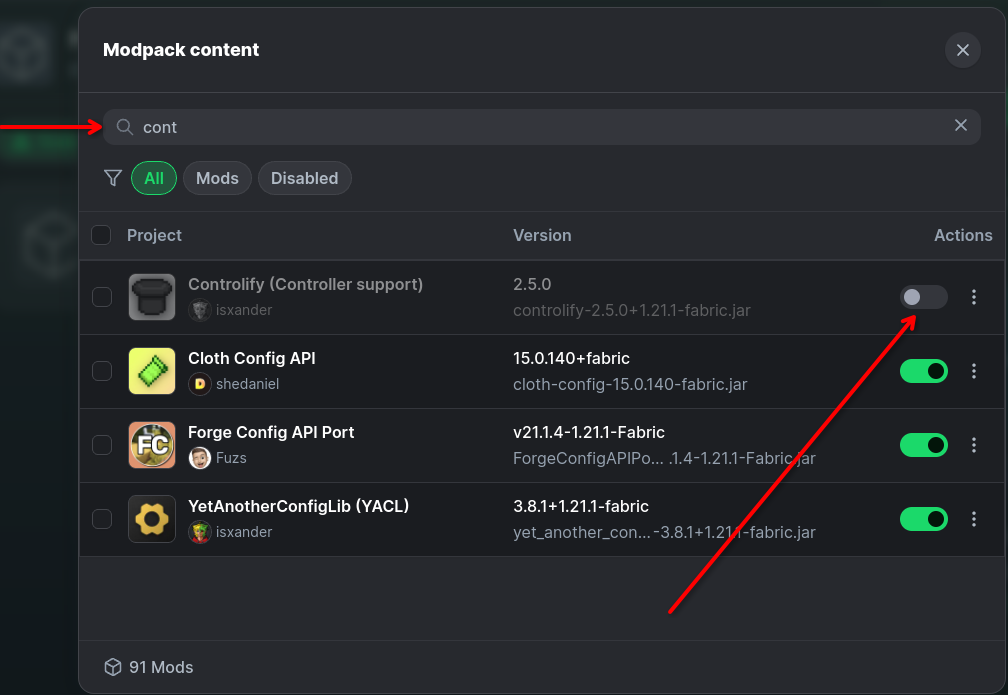
First, go open up Content
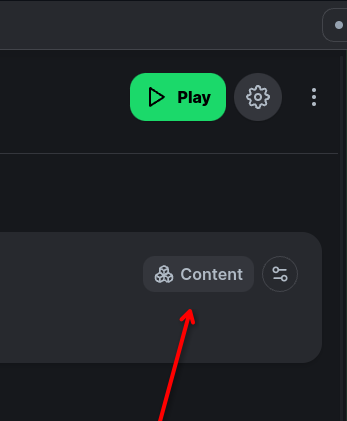
In the search bar look for Controlify and enable it
So you need a new pack but you don't want to lose all your settings and waypoints. So go back to the top and download the pack.
If you're using Prism Launcher you can simply edit your previous version, under modrinth settings, select Update from file.
Modrinth itself is less easy (File based modpacks cannot be updated and must be replaced).
So, to make sure you don't lose your settings and stuff we can do the following:
First, set up the new pack like you would for a brand new pack, they should come with a version number to help differenciate them.
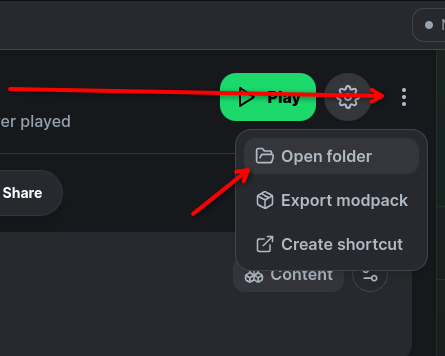
In the top right of the window, click the three dots then click Open Folder. You'll want to do this for both Old and New Packs
In the Old Pack folder find the files 'options.txt','servers.dat' and the xaero folder (not the XaeroWaypoints_Backup folder if you see that)
Copy those 2 files and 1 folder from the Old pack to the New
That should be it! Settings, Map and Waypoints intact.